

If you don't have it yet, get the Claude app from claude.ai/download and sign in. Cowork is available in the desktop and web apps.

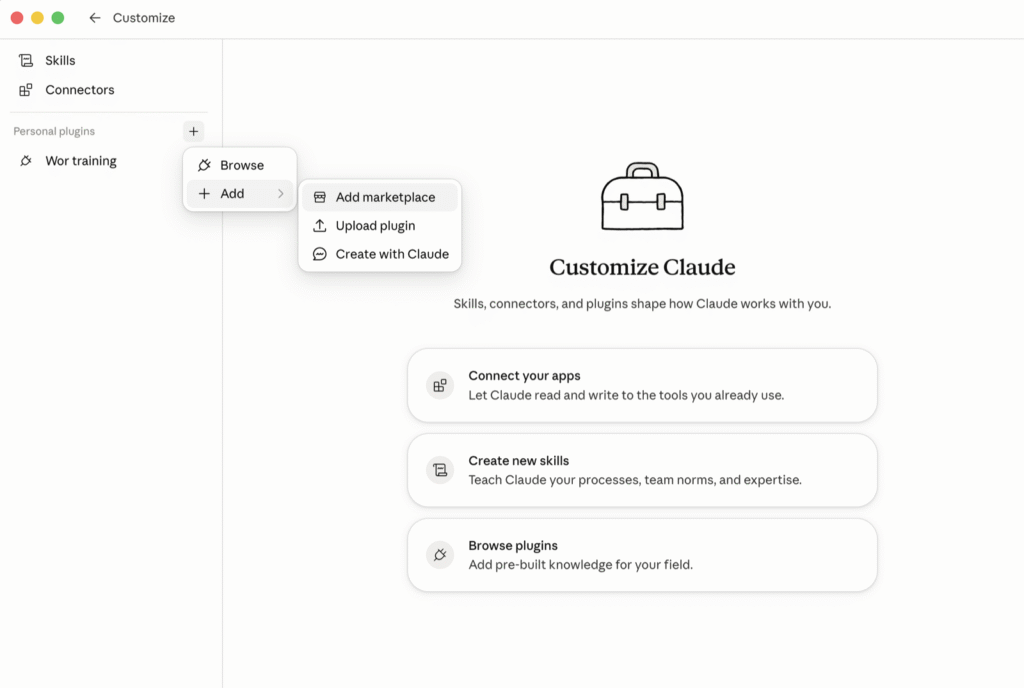
Open the Customize panel. Next to Personal plugins, click the + icon, then choose Add → Add marketplace.
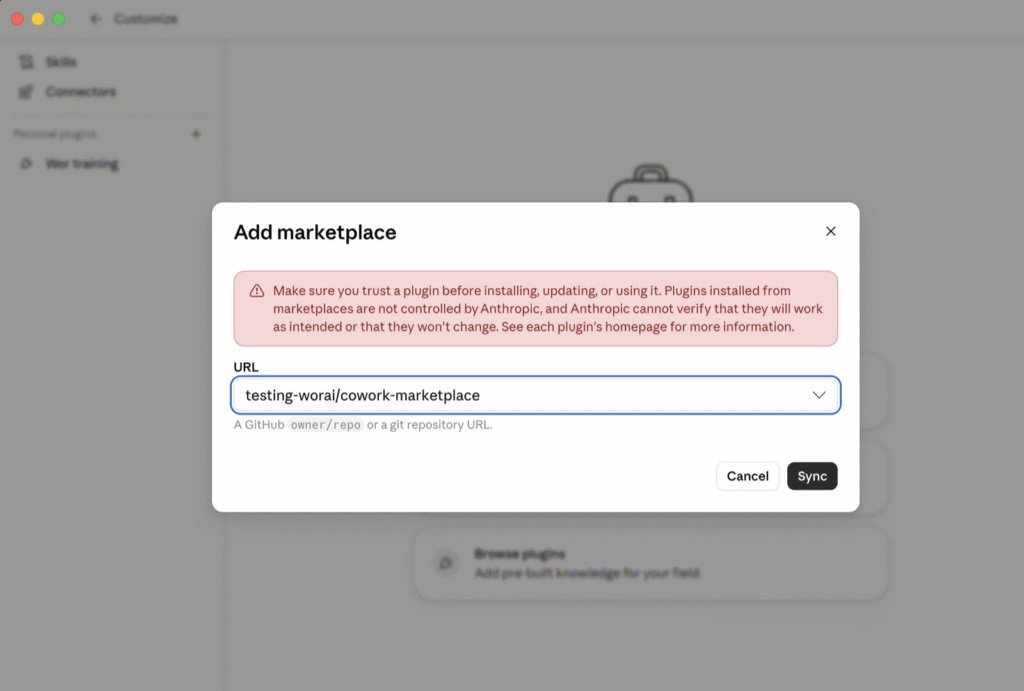

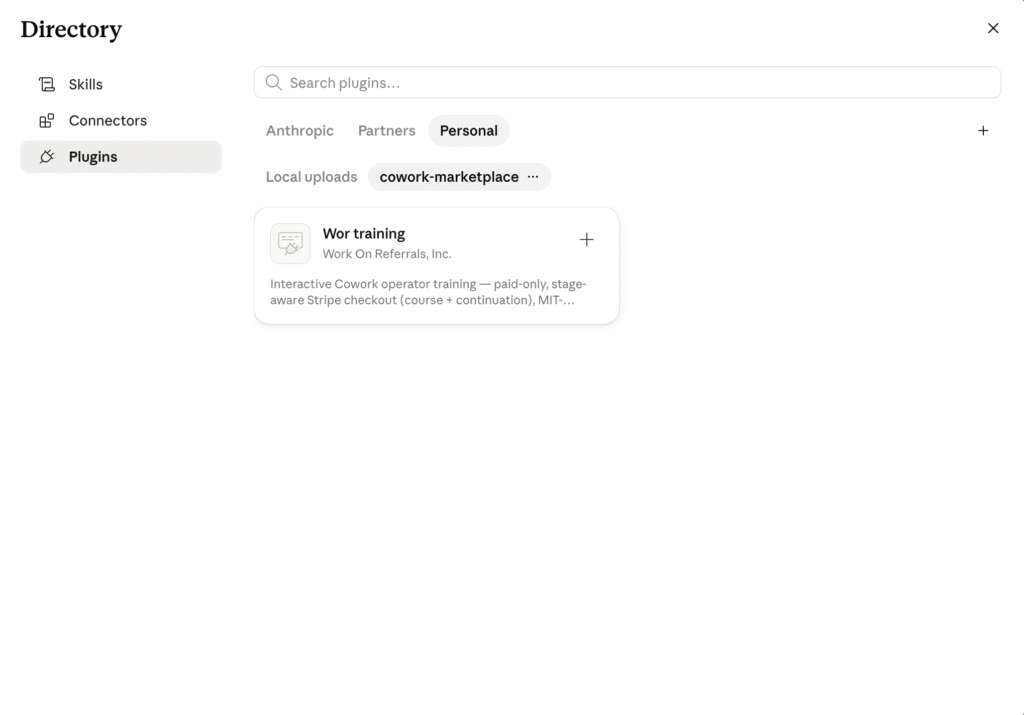
Open the + icon again and this time choose Browse plugins. In the directory that opens, switch to the Personal tab (next to Anthropic and Partners). Under cowork-marketplace you'll see a single plugin, Wor Training by Work On Referrals.
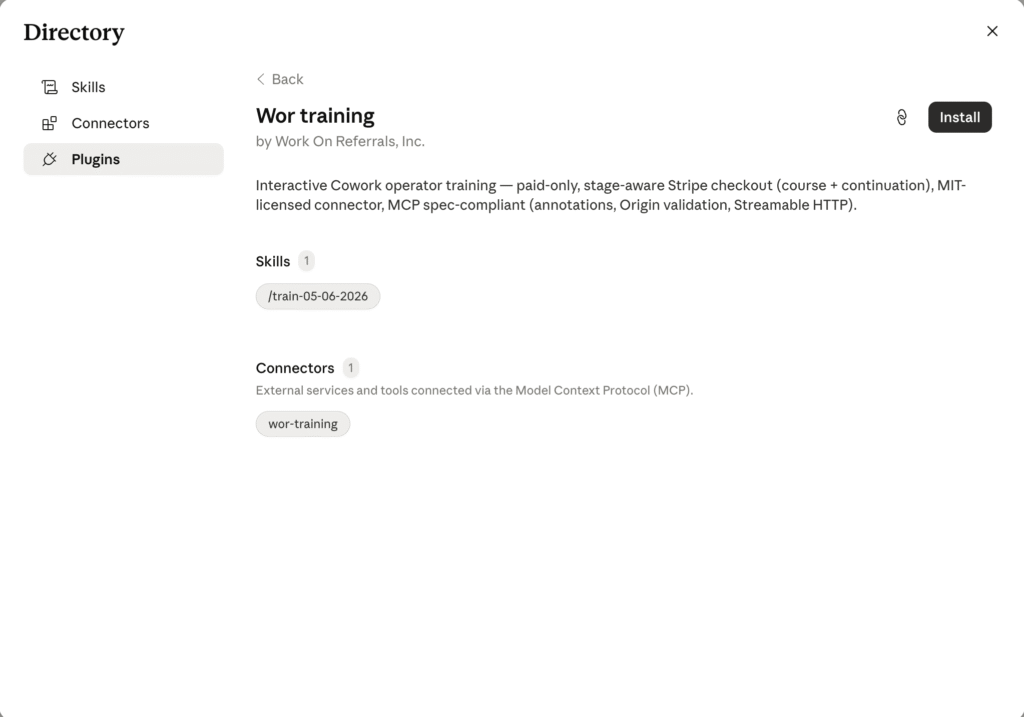

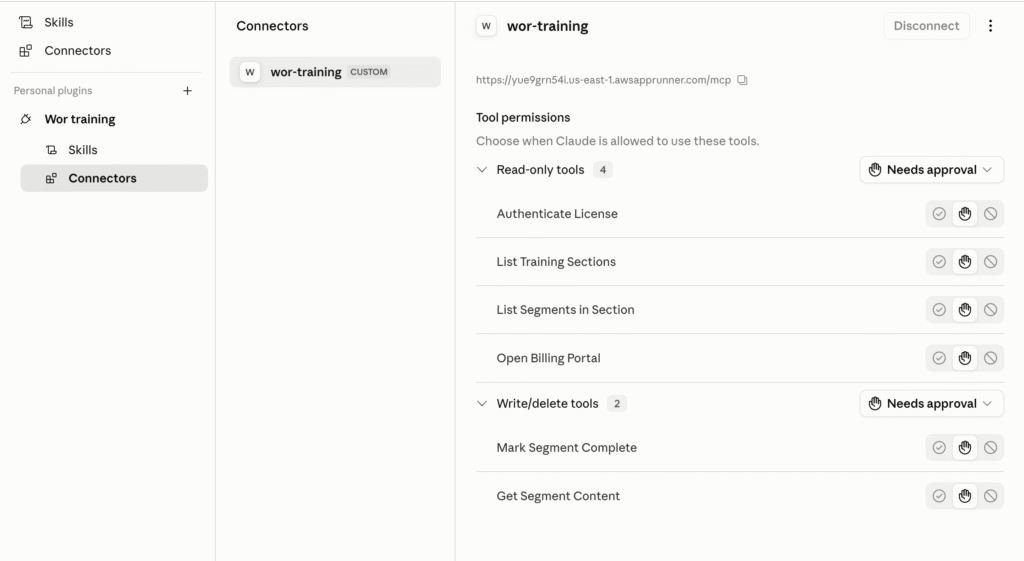
Once installed, the plugin appears under Personal plugins. Open it and go to Connectors: you'll see the wor-training connector (our secure content server). Open it and click Connect; once it's linked the button switches to Disconnect, and that connection is what delivers your lessons.

Start a new chat and type "train me." You'll see both the skill and the connector active on the right-hand panel. When prompted for a license key, paste the key from your email, and we pick up exactly where you left off each session.